Lead Capture Software: A Buyer’s Guide by Criteria
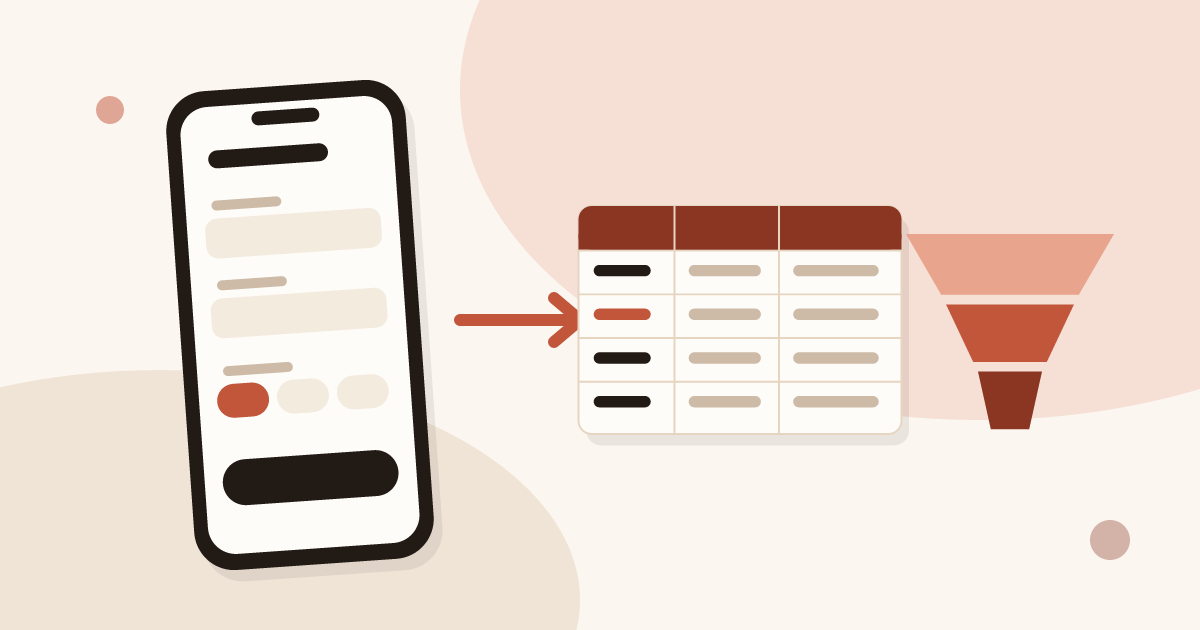
Lead capture software records a contact at the moment of the meeting and sends it to your tools. It comes in five families: web forms, organiser lead retrieval, mobile capture apps, business card scanners and CRM-native forms. Ten criteria let you choose without a list of brands.
For the wider topic at trade shows, read the guide on trade show lead generation. This article compares families of tools. To compare mobile apps for events with each other, read how to choose an event lead capture app.
Definition of lead capture software
Lead capture software collects the details of an interested person and the information needed to follow up: name, company, email, need, source. It stores them and passes them to a sales team or a CRM.
A lead is a person who showed interest. The software does not make that person qualified on its own: it gives you a place to note the qualification while the conversation is fresh. A tool that records only an email leaves all the qualification work for the follow-up.
Three functions are common to every family: collect, keep, pass on. The differences come from the place of capture, the network needed, who owns the data and the fields available. An example: at a trade show, a rep talks to a visitor, notes the need, asks for permission to follow up, and the lead goes to the CRM. The same path exists online with a form, but the conversation is missing.
The five families of lead capture tools
Each family answers a place of capture. Many teams combine two.
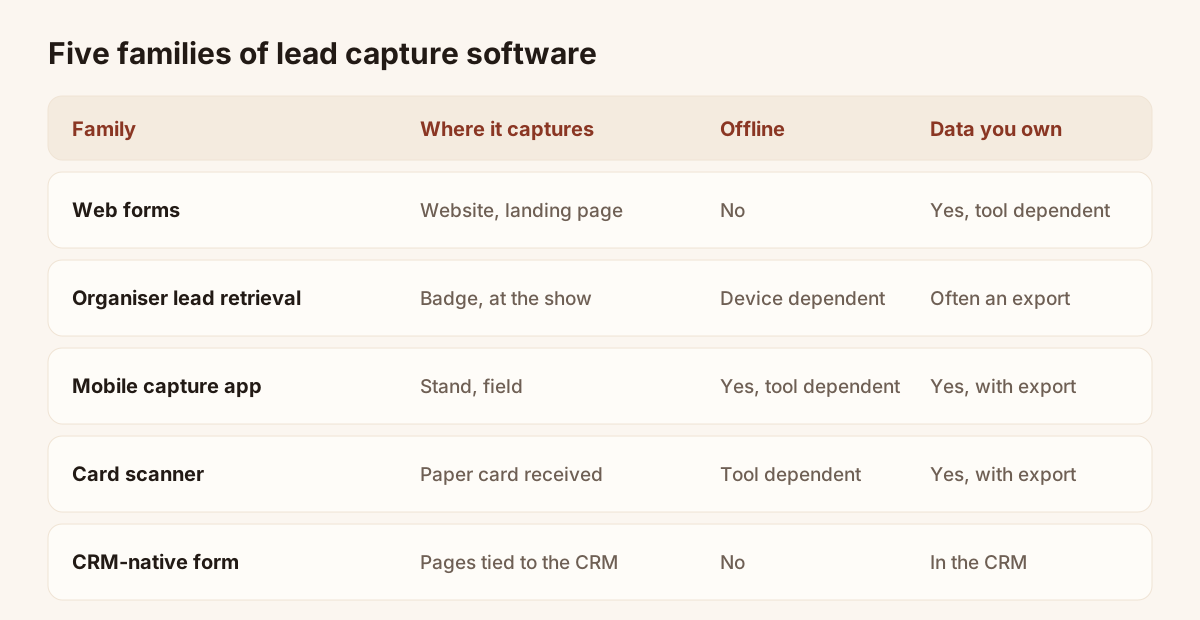
The five families, from the web form to the CRM-native form.
- Web forms and landing pages. The visitor fills in a form on your site. This is the right family for online traffic. It is no use on a stand, where nobody opens a laptop.
- Organiser lead retrieval. The show organiser rents a badge reader or an app. You scan the visitor’s badge and get their identity. Read lead retrieval at trade shows for the detail.
- Mobile capture apps. A phone is used to enter or scan a contact, qualify it and send it. This is the field family.
- Business card scanners. You photograph a paper card you received, the tool reads the fields and creates the contact.
- CRM-native forms. The CRM provides its own forms and pages. Data lands straight in the tool, at the price of depending on it.
| Family | Place of capture | Offline | Data you own | Typical limit |
|---|---|---|---|---|
| Web forms | Website, landing page | No | Tool dependent | No use without online traffic |
| Lead retrieval | Badge, at the show | Device dependent | Often an export after the event | Badge identity, little qualification |
| Mobile app | Stand, field visit | Often yes | Yes, with export | Entry is left to the rep |
| Card scanner | Paper card received | Tool dependent | Yes, with export | You need a card to read |
| CRM-native form | Pages tied to the CRM | No | In the CRM | Tied to that one CRM |
No family covers every place. A trade show usually calls for field capture, so a mobile app, possibly completed by a card scanner. An online shop or a services site calls for a web form linked to your CRM.
Which family fits which situation
The right choice starts from where you meet your contacts, not from a feature list.
| Situation | Family to look at | Why |
|---|---|---|
| Traffic on a site | Web forms | The visitor is already at a screen |
| Show with badges | Lead retrieval, on top of a mobile tool | Identity comes from the badge, qualification from your tool |
| Stand with unreliable network | Mobile app with offline mode | Capture must survive a poorly covered hall |
| Pile of paper cards | Card scanner | Fields are read instead of typed |
| Team already in a CRM | CRM forms, or an app that syncs | Data must land in one place |
A field team that visits customers on their premises, in shops or on the road has the same needs as a stand: capture fast, qualify on the spot, send afterwards. The mobile family is therefore the closest to field work.
Ten selection criteria as a checklist
The table gives the question to ask and the proof to request for each of the ten criteria. Tick those that matter in your case, then test them in real conditions, not on a demo.
| Criterion | Question to ask | Proof to request |
|---|---|---|
| Capture speed | How many taps to record a contact? | Time five contacts, standing, on a phone |
| Offline | Are leads kept without network, then sent alone? | Capture in airplane mode, then reconnect |
| Qualification fields | Can you ask your own questions? | Build your form with your real questions |
| Consent record | Is consent recorded with each lead? | Open a lead record and look for the trace |
| CRM sync | Which tools, natively or by webhook? | Send three leads and read them in the CRM |
| Export | Can you take your data out at any time? | Export a file and open it |
| Team roles | Does each rep see their leads, and the manager all? | Create two accounts and compare the views |
| Price model | Price per seat, per event, per lead? | Ask for the total cost for your team over a year |
| Set-up time | Does a rep enter a lead within minutes? | Have someone who never saw the tool try it |
| Data hosting | Where is the data, under which law? | Ask for the hosting country and the privacy policy |
Use the checklist as a test grid: a criterion ticked on a brochure is worth nothing until you have seen it on screen. Three criteria decide most often: offline, qualification fields and CRM sync. A tool with no offline mode loses leads in a poorly covered hall. A tool with no qualification sends you a name with no context. A tool with no sync creates re-keying after the show.
For the qualification fields, read the guide on lead qualification: it helps you pick the three or four questions worth asking.
Where Piktechs fits, and its limits
Piktechs belongs to the mobile app family, with two ways to capture: the digital card with a form, and the Lead Scanner for paper cards. Manual entry remains possible. The rep qualifies on the spot with a priority, tags, notes and a voice note, then schedules a follow-up reminder. Leads go to HubSpot or Odoo natively, to other tools through Zapier or Make, or to a CSV export.
The strengths of Piktechs against the criteria:
- Offline. The Lead Scanner keeps leads on the device and sends them when the network returns.
- Consent and hosting. GDPR consent is recorded with each lead, and the data is hosted in the European Union.
- Team. The Team plan assigns each lead to a rep, with roles and a shared brand kit. It costs €15 per seat per month, with 3 seats minimum, and has a 14-day trial.
The limits, stated as they are:
- It does not read organiser badges. Piktechs does not replace organiser lead retrieval. If you want the identity printed on the badge, you need the organiser’s tool. The two combine.
- No native Salesforce connector. For Salesforce, go through Zapier or Make.
- Voice notes are recorded, not transcribed. A note lasts up to two minutes and plays back from the contact. You can also type a note.
- The Contacts CSV export is limited. It has no phone, priority, tags or notes column. Check that it covers your need before relying on it.
- Form, Contacts, Lead Scanner and analytics are Pro and Team features. The Free plan is for sharing a card.
For field use outside shows, see the mobile CRM page. For shows, open the page on trade show lead capture.
A last point on the cost of a wrong choice: leads captured in the wrong tool are hard to move. If the export is poor, the data stays where it was entered. That is why the export and CRM sync criteria deserve a real test before the purchase, not after the first show, when the leads already sit in the tool.
Common mistakes when buying
- Choosing on the demo. A demo has network, time and clean data. A stand has none of these. Ask to try the tool on your own phone, in a poorly covered corner of the building.
- Forgetting the re-keying. A cheap tool that forces you to retype leads into the CRM costs hours after every event.
- Neglecting consent. Without a consent record, you cannot prove where an address came from.
- Counting the price per seat without counting the team. Add the seats of the whole team, including the extra seats for a show.
- Using a form that is too long. Every extra question slows capture. Three or four fields are enough for a first qualification.
How to run a trial on one event
A trial on a single event costs less than a wrong purchase. Here is a simple method, valid for a tool of any family.
- Set three criteria before the event. For example offline, qualification and CRM sync. Write down the expected result for each.
- Prepare the form with your real questions. Three or four questions are enough.
- Have two people test it. One who knows the tool, one who discovers it on site.
- Capture at the event, in real conditions. No dummy contacts: these are your real leads.
- Count the lost leads. No network, no battery, no time: note every failure.
- Check the sync the same evening. Are the leads in the CRM, with their answers and their source, and without duplicates?
- Follow up three leads and note the effort. Was the context enough to write a real message?
After the event, compare with the expected result of step 1. If a criterion fails, drop the tool or change family before you sign. For the follow-up, read how to collect leads at trade shows.
Frequently asked questions
What is lead capture software?
It is a tool that records the details of an interested person, with the context of the meeting, and passes them to a team or a CRM. There are several families depending on the place of capture.
Is a web form enough for a trade show?
Rarely. A web form suits online traffic. On a stand, entry happens on a phone, often with an unstable network, and a mobile family meets the need better.
Do I need a CRM to use lead capture software?
No. Without a CRM, you can work with a contact list and a CSV export. A CRM becomes useful when several people follow up the leads.
Does organiser lead retrieval replace a capture app?
No, the two complement each other. Lead retrieval gives the badge identity. A capture app adds qualification, notes and sync with your tools.
How long should a useful trial last?
One event is enough, as long as you set your criteria beforehand and capture real leads. Plan a follow-up a few days later to judge the quality of the data.
Read next
 Guide
Trade show lead generation: the complete guide
Trade show lead generation, step by step: prepare the stand, capture leads, qualify on the spot, handle consent, sync to your CRM, follow up in 48 hours.
 Article
How to choose an event lead capture app
Ten criteria and a scorecard to compare event lead capture apps: offline mode, card scanning, qualification, CRM sync, GDPR. Points to test, no brand list.
 Article
Lead retrieval at trade shows: definition, how it works, costs
Lead retrieval is the contact-capture service an organiser sells to exhibitors. See how it works, how it is priced and which data it leaves out.
 Article
How to capture leads at trade shows: 15 methods that work
Fifteen ways to capture leads at trade shows, before, during and after: effort, equipment and data for each, plus follow-up within 48 hours.
 Article
Trade show checklist: how to prepare, step by step
A trade show checklist by period: three months out, one month, the week before, each show day and after. Goals, team, lead capture and follow-up.
 Article
Trade show follow up email: method and 5 templates
Trade show follow up email method: when to write, how to sort leads, five templates, a short phone script and a three-week follow-up sequence.
Equip your team before the next show
Team gives each rep cards, forms and Lead Scanner, with lead assignment and CRM sync. 14-day trial.