NFC Business Cards: Definition and How Tap-to-Share Works
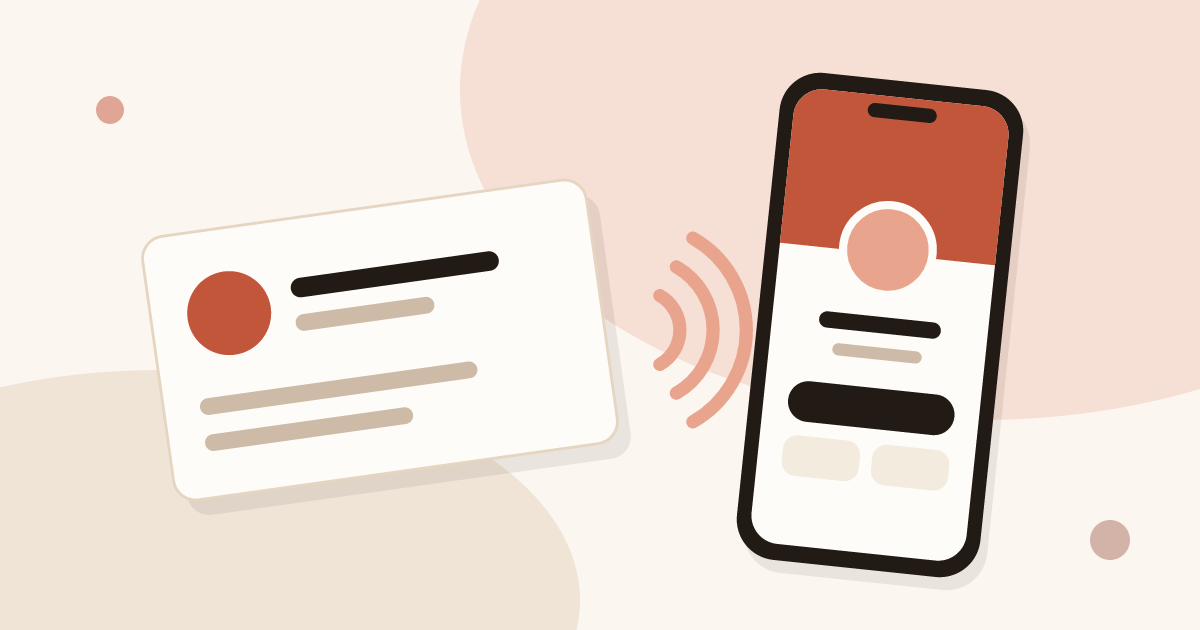
An NFC business card is a card, sticker or key fob with a small chip inside. The chip stores a link to your digital card. The other person holds their phone a few centimetres from it, your card opens in their browser and they save your contact. This guide covers how it works, how to buy and how to use it.
What is an NFC business card?
An NFC business card is a card, sticker or key fob with an NFC chip that opens your digital card when a phone comes close. NFC stands for near field communication, a radio technology with a very short range. It already powers contactless payment and some transport tickets. An NFC business card reuses it for another job: handing over your professional details with one gesture.
In practice, an NFC business card has two separate parts.
- A physical object with an NFC chip inside: a plastic card, a metal plate, a sticker for the back of a phone, a key fob.
- A digital business card: a web page with your name, job title, links and a button to save your contact.
The chip only points to the page. The whole value of the set-up comes from that split. You make the object once. You edit the page whenever you like.
NFC business card, tap card, smart business card
Names vary from site to site: NFC business card, tap business card, smart business card, connected card. They all describe the same thing, an object with a chip that opens content online. The phrase "digital business card" names the web page itself. The guide on how digital business cards work covers that page and its ways of sharing.
Where NFC fits in Piktechs
Piktechs is a digital card linked to a form and to your contacts. NFC is one way to share, next to the QR code, the link and the email signature. Piktechs sells no physical NFC card. You buy the object from a supplier of your choice, then attach it to one of your cards. The programming section below gives the steps. The product page for Piktechs digital business cards presents the whole offer.
How do NFC business cards work?
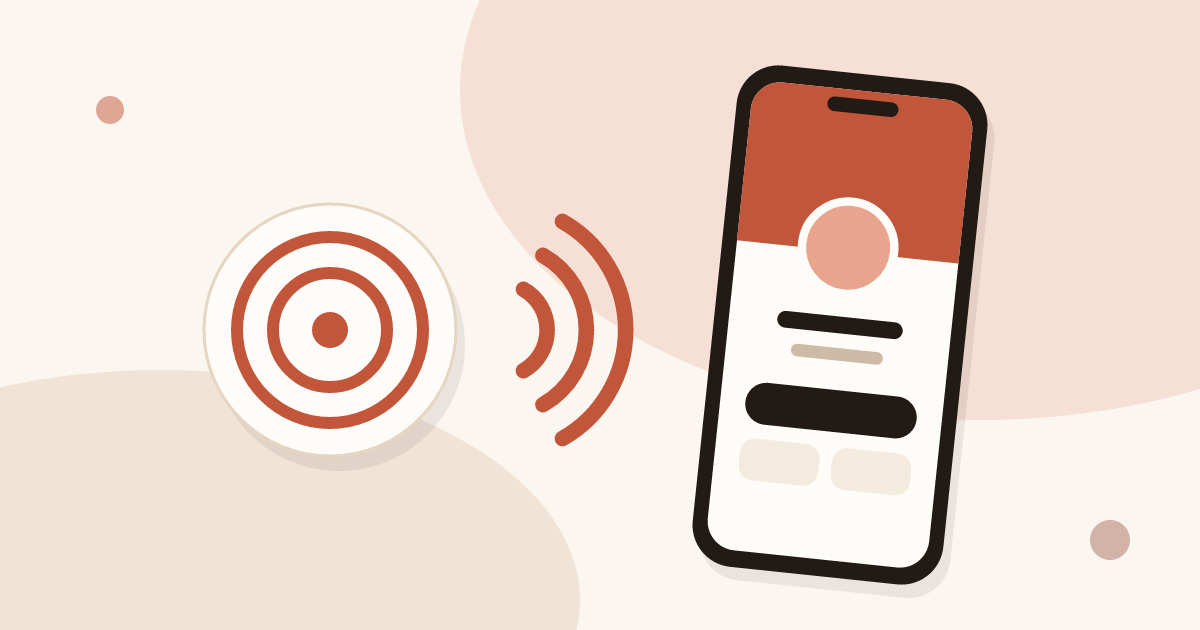
NFC business cards work in three steps: the chip stores a link, a phone held close powers the chip and reads the link, and the phone opens the page behind it. The chip in a business card is passive: it has no battery and no power source of its own. When a phone comes close, its radio field powers the chip for a moment. The chip answers by sending the short record it stores. The phone reads it and acts on it.
The content of the chip
A chip of this kind stores very little data. On a business card, it holds one record of the web address type, a link of modest length. It does not hold your name, your number or your email. It connects to no network, it tracks nobody and it transmits nothing until a phone comes near.
A sharing sequence, step by step
- You hold out your card, or your phone fitted with a sticker, towards the other person.
- They bring the top of their phone within a few centimetres of the object.
- The phone reads the link and offers to open the page, or opens it straight away depending on the model.
- Your digital card appears in the browser, with your photo, your links and a button to save the contact.
- The person saves your details to their phone, or fills in your form to leave theirs.
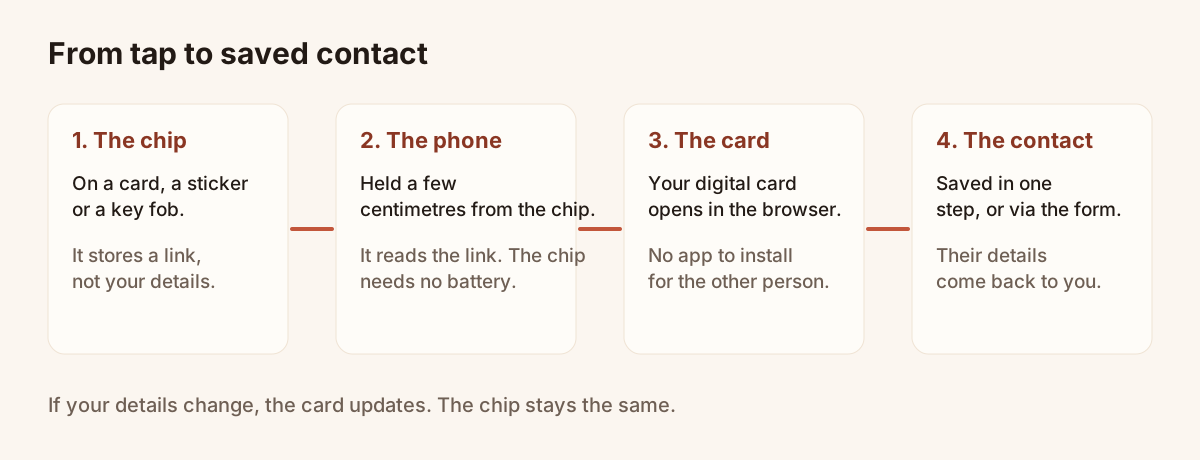
From the tap on the chip to the saved contact.
Why the link stays valid
The chip points to the address of your card, not to a copy of your details. If you change job, number or photo, you edit the card online. The address stays the same, so a chip already printed or stuck down keeps working. Piktechs applies this to every way of sharing: the QR code, the link and the NFC tag stay tied to the same card, and an update shows up straight away with nothing to reprint.
Phones compatible with NFC business cards
Compatibility is the most common question before a purchase. The answer comes in three general parts: recent iPhones, Android phones with NFC, and edge cases.
iPhone
Do iPhones read NFC business cards? Yes, recent iPhones do. They read NFC tags in the background. Unlock the screen and hold the top of the phone near the tag: a notification appears, and one tap opens the page. No app is needed and no setting has to be switched on for recent models. Older iPhones sometimes need an extra step, such as opening a reader tool from the control centre. Test with one or two iPhones among your colleagues before you promise "just tap your phone".
Android
On Android, reading depends on NFC, which must be switched on in the phone settings. Many models have it, but the option is sometimes off by default or hidden in a connections menu. The screen usually has to be on and unlocked. The top of the phone is the most sensitive area, though the antenna position varies by model. If nothing happens, the person can slowly slide the phone over the object.
Phones without NFC
A few entry-level or very old phones have no NFC chip. No setting fixes that. These visitors need another route: the QR code, which only needs the camera, or the link. This is why a well-designed NFC business card also shows a QR code.
| Case | Expected behaviour | Fallback |
|---|---|---|
| Recent iPhone | Background reading, notification to open | QR code |
| Android with NFC on | Reads, screen on and unlocked | QR code |
| Android with NFC off | Nothing happens | Switch NFC on in settings, or QR code |
| Phone without NFC | No reading possible | QR code or link |
| Thick case, metal, card kept in the case | Unreliable reading | Remove the case, or QR code |
Formats: PVC card, metal card, sticker, key fob
The market offers many formats. The descriptions below stay general, with no brand and no price. The chip is the same from one format to the next. The choice comes down to use, weight, the image you want to give and durability.
Plastic (PVC) card
This is the closest to a traditional business card: same size, roughly the same thickness, a chip embedded in the material. It slips into a wallet or card holder and can be printed in your colours. It suits reps who want the familiar gesture of handing over a card, with contactless reading as a bonus.
Metal card
Metal adds weight and a premium feel. It also brings a technical constraint: metal disturbs radio waves and can block reading. Manufacturers get round this by placing the chip in a clear zone or shielding it. Check reading on several phones before ordering a batch.
NFC sticker
A sticker is a thin adhesive chip to stick on a phone, a badge, a display stand or a document. It is discreet and cheap to replace. Stuck on a metal surface it may fail, unless it is designed for that case. On a phone, avoid placing it against the battery or the charging plate without a test.
Key fob and wristband
These formats stay within reach: keys, event lanyard, bag. They suit moments when you have not taken out your wallet, such as on a stand or on the move. Their small surface means aiming for the centre of the chip.
| Format | Strength | Point to check |
|---|---|---|
| PVC card | Familiar shape, printable | None in particular |
| Metal card | Premium image | Test reading, metal affects radio waves |
| Sticker | Thin, discreet, replaceable | Poorly read on metal surfaces |
| Key fob, wristband | Always on you | Small reading zone |
Do you need a physical NFC card?
No, you do not need a physical NFC card to share a digital card. The QR code and the link work as soon as the card is published, on any smartphone, with nothing to buy. NFC is an extra way to share, and it needs an object with a chip.
Piktechs sells no physical NFC card. If you want one, you buy a card, sticker or key fob from a supplier of your choice, then link its tag to one of your cards in the app. The tag only holds the address, so it keeps working when you edit the card.
An NFC object makes sense in a few situations:
- you meet people face to face and want a quick gesture with no camera;
- you want a familiar object to hand over, as with a paper card;
- your team wants a branded object, with one card per person.
It makes little sense when your contacts are remote, when many of them use phones without NFC, or when you only need to try the idea. For those cases, start on the Free plan with the QR code and the link, and add a tag later. Always print a QR code next to the chip: it covers phones without NFC, thick cases and readings that fail. The section below on programming gives the steps for a tag.
Programming a chip with your digital card link
A blank chip holds nothing. It receives a record through a write operation, done with a compatible phone. Two situations exist depending on the chip.
Before you start: publish the card
A chip points to an address. That address must be online before you programme anything. In Piktechs, create the card, fill in the profile, then publish it. A draft is not reachable by visitors. Drafts are unlimited on every plan, while only published cards count towards your limit: 1 card on Free, 5 on Pro, 5 per seat on Team. The article on how to create an NFC business card goes through the details step by step.
Attaching an NFC tag to a Piktechs card
In the app, an NFC tag links to one of your cards. The steps given in the help centre are as follows.
- Tap the tag with your phone.
- If the tag is not linked yet, Piktechs asks you to sign in.
- Pick the card the tag should open.
- From then on, every tap redirects to that card.
You can link the same tag to another card later, for example after a job change or a new campaign. The object stays in place.
Writing the link by hand
Some blank chips can be programmed with a free NFC writing app. The general principle is this.
- Open the writing app and choose to store a link.
- Paste the public address of your card.
- Hold the chip against the phone to write the record.
- Read the chip again with a different phone to check that the card opens.
Two precautions. First, copy the address from the share button of the card, not from the address bar of a working tab, to avoid a stray parameter. Second, lock the chip against writing only after testing: on most chips, locking is permanent.
Testing before you hand out
Test every format on at least one recent iPhone and one Android phone with NFC on. Note the phone position that gives the best reading and, if needed, mark it on the card with a small printed guide. This test spares you a surprise in front of a prospect.
NFC vs QR code business card: which is better?
Neither is better in every case, so use both. NFC and QR codes have the same aim: opening your digital card. They complement each other more than they compete. NFC gives a very quick gesture without opening the camera. The QR code scans from further away, on any smartphone, and prints anywhere.
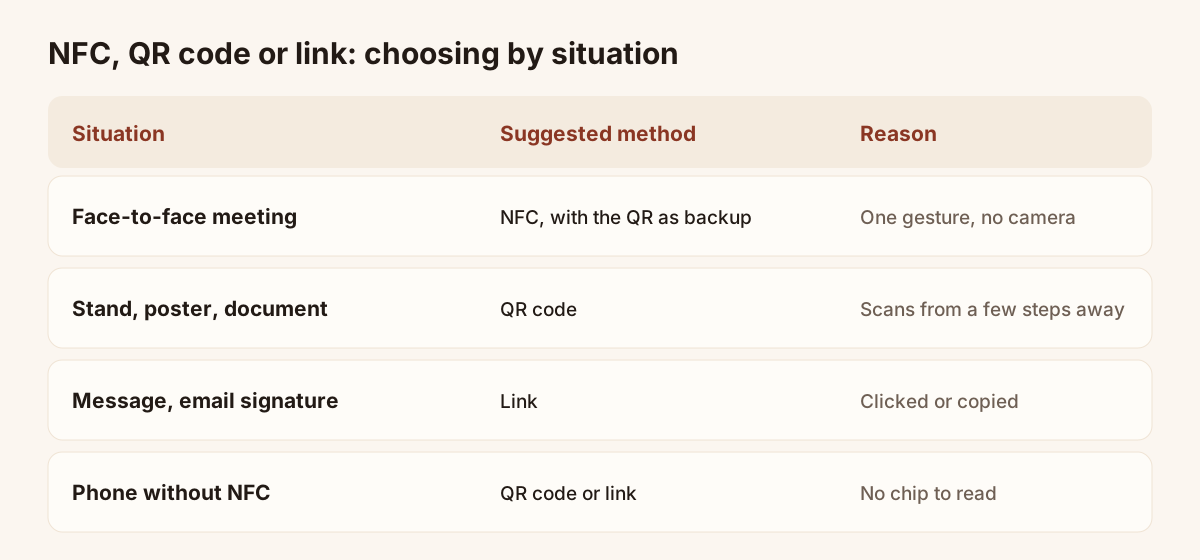
Which sharing method to pick by situation.
| Criterion | NFC | QR code |
|---|---|---|
| Gesture | Hold the phone close | Aim the camera |
| Distance | A few centimetres | A few steps, depending on size |
| Phones covered | Those with NFC | Nearly every smartphone |
| Medium | Chip in a card or sticker | Printed on paper, screen, poster |
| Content updates | Through the online card | Through the online card |
| Replacement cost | Object to buy again | Print again |
| Remote use | No | Yes, on a shared screen |
The practical conclusion is simple: show both. A QR code printed on the object, next to the chip, covers phones without NFC, thick cases and unreliable readings. The guide to business cards with a QR code covers that second method, and the article on creating a QR code for a business card explains how to make one.
The link, a third route
A link fits in an email signature, a message or a social profile. It needs no chip and no camera. In Piktechs, the share menu of a published card offers the link and the QR code. An NFC tag comes on top of these.
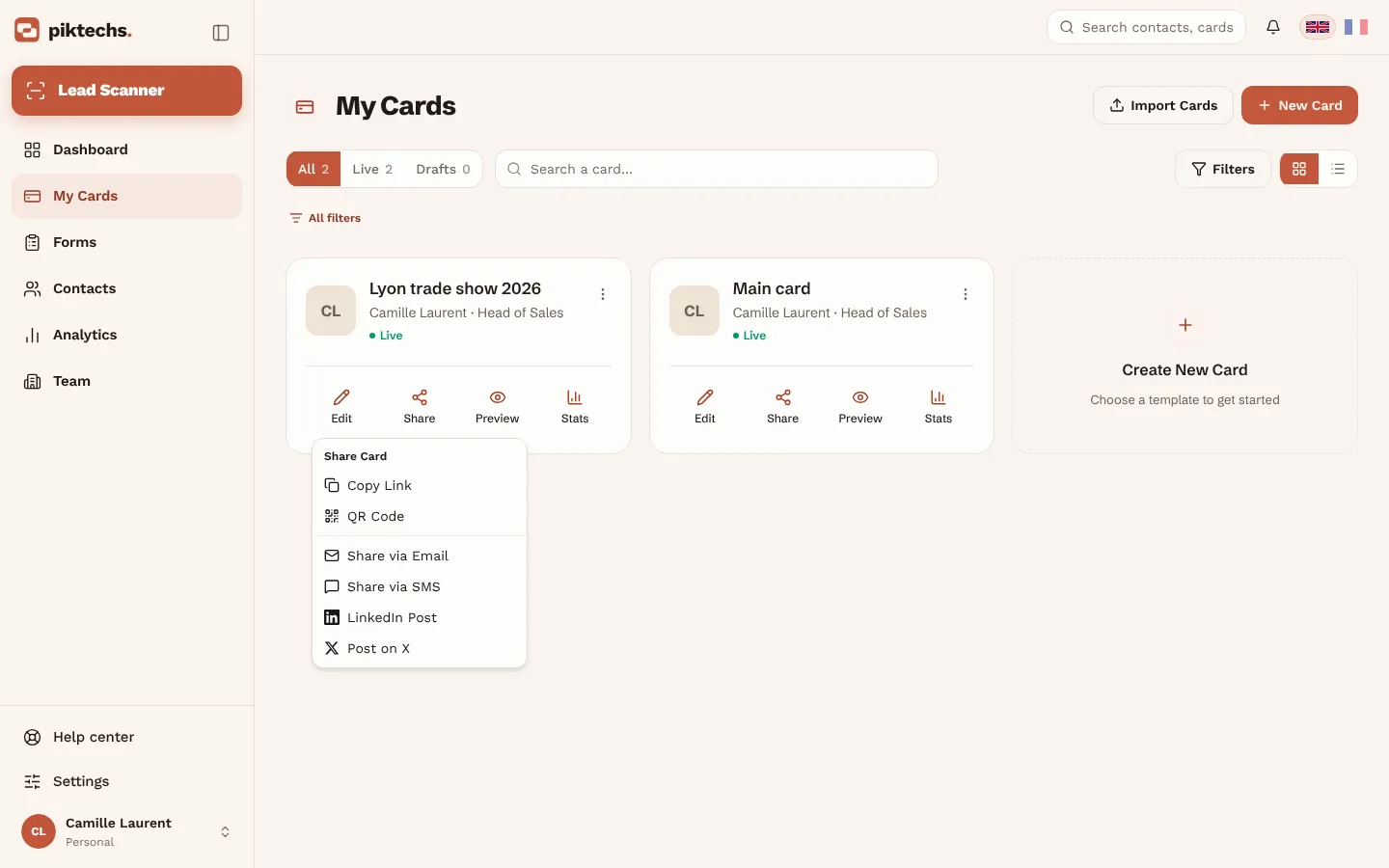
Piktechs screen, sample data.
Limits of NFC business cards
NFC is handy, but it has real limits. Knowing them avoids disappointment.
Reading distance
Reading works at a few centimetres. The phone and the chip need real closeness. NFC does not suit a conference room where you want to reach ten people with one gesture, or sharing from a stage. For those cases, a projected QR code or a link posted in the chat works better.
Cases, metal and batteries
A thick case, a case with a metal plate or a phone stored against a bank card can interfere with reading. Metal near the chip disturbs the radio waves. A sticker stuck on a metal case may give nothing. The answer is a real test, then a fallback to the QR code.
Phone settings
On Android, NFC must be on. On an older iPhone, reading may need an extra step. The visitor may also have turned off reading notifications. Prepare a simple sentence to guide the person: "Hold the top of your phone against the card, screen on".
Phones without NFC
Some phones cannot read tags. With no fallback, these visitors leave without your contact. Hence the rule of always pairing a QR code or a link.
A chip tracks nothing by itself
The chip does not count taps. Statistics come from the digital card: views, contact saves, link clicks and leads left in the form. In Piktechs, the statistics page of each card shows this. To tell whether NFC is used more than the QR code, you need a separate link or object for each way of sharing. Check the options available in the app before building any tracking on that distinction.
Replacing a lost object
A lost card stays readable by anyone who finds it, and it still points to your public card. Your private data is not at risk, but the card keeps working until it is linked to something else. To disable it, edit the card the tag is linked to or take the card offline: nothing is deleted, and you can publish it again later.
NFC business card security and privacy
Security questions come up often: can an NFC card be hacked, copied or tracked? The answer follows from how the chip works. The article asking whether digital business cards are safe looks at the whole card, beyond the chip.
The chip holds only a link
A business card chip stores a link to a public page. It holds no password, no bank data and no file. Someone who reads the chip gets exactly the same as the person you hand it to: the address of your card. There is nothing confidential in the chip to steal.
Copying a chip
A link that has been read can be written onto another blank chip. Since the address belongs to a page you chose to make public, the copy gives access to nothing beyond the page itself. If you fear misuse, take the card offline or link the tag to another card.
Information shown to the visitor
The digital card displays only the information you decided to put on it. Choose it with a wide audience in mind: a personal mobile number is not shown by default, you add it if you wish. You stay in control of every field.
Data from the person who meets you
When a visitor fills in your form, they entrust you with their details. In Piktechs, GDPR consent is recorded with each lead and data is hosted in the European Union. Tell the person how you will use their information. This rule does not depend on NFC: it applies to every collection method.
Unintended reading
A passive chip reads only within a few centimetres and holds only a public link. A reading made without your knowledge gives the reader nothing. Only the information placed on the online card matters, not the chip.
NFC business cards for a team
One rep can manage cards by hand. Once ten people carry the company brand, you need a method.
One card per person, one shared brand
Each rep has their own card, with their name, photo and job title. The visual identity stays shared. On Piktechs, the Team plan includes 5 cards per seat with a 3-seat minimum, a locked brand kit (colours, logo, layout), your own domain and roles. All cards update at once when the brand changes.
Ordering and handing out the objects
A simple method for a team takes four steps.
- Define the model: format, printed design, presence of a QR code.
- Order a few test samples and try them on several phones.
- Order the final batch and programme it, or have it programmed.
- Give each rep an object linked to their own card, with a one-page usage note.
Finding the rep behind each lead
The point of one card per person is to know who met whom. In Piktechs, each lead goes back to the rep who shared their card, and the Team plan adds lead assignment. Contacts land in the Contacts screen with their source, then go to HubSpot, Odoo, Zapier, Make or a CSV export. Choosing the card a tag is linked to therefore has a direct effect: a tag linked to the wrong card sends the lead to the wrong rep.
When a rep leaves
The object of a rep who leaves the company needs handling. Reassign the card to another member or edit it, then, if needed, link the tag to another card. Nothing has to be reprinted.
Choosing your formats
The article on the best digital business card apps compares the criteria to weigh before committing, including the place of NFC in team equipment.
Good habits for using an NFC card
An NFC business card works well when a few habits go with it.
Checklist before an event
- The card is published and opens correctly in a private window.
- The object has been read on a recent iPhone and on an Android phone with NFC on.
- A QR code is visible next to the chip.
- The card form is active, with few questions.
- The person receiving it sees a button to save the contact.
- You can say in one sentence how to hold the phone.
Keep the card short
A card read on a phone, standing in a corridor, must make sense within seconds. Put your name, job title and an action button at the top. Place the rest below.
Pair the gesture with a sentence
An object does not explain itself. One simple sentence is enough: "Hold your phone here, you get my card, and I get yours if you are happy to leave it". It explains the gesture and prepares the return of contact details.
Keep a record of the conversation
NFC opens the door, but the value comes afterwards. After the meeting, qualify the contact in Contacts: priority, tags, a note, a follow-up reminder. Piktechs stores voice notes as recorded, without transcribing them. This step turns a card share into a usable lead.
NFC next to the paper card
NFC replaces neither the paper card nor the conversation. Your reps can keep handing out paper cards, and the Lead Scanner reads the ones they receive. The NFC card is one more way to share, not an obligation.
Frequently asked questions
Do iPhones read NFC business cards?
Yes, recent iPhones read NFC tags in the background: unlock the screen, hold the top of the phone near the tag and tap the notification. Older iPhones may need an extra step, so test a few models and keep a QR code next to the chip.
Do you need a physical NFC card?
No. The QR code and the link work with no object. A physical NFC card, sticker or tag is optional, and Piktechs sells none: you buy one from a supplier and link it to a card in the app.
Do I need an NFC card to use Piktechs?
No. The QR code and the link work as soon as the card is published. NFC is an extra way to share, on recent iPhone and Android phones. Piktechs sells no physical NFC card.
Does the other person need to install an app to read my card?
No. The card opens in the phone browser, whether the share goes through NFC, the QR code or the link. The contact saves in one step, in vCard format.
What happens if I change my number or job?
You edit the card online and the update shows straight away. The chip, the QR code and the link point to the same address, so nothing has to be reprinted or reprogrammed.
Can an NFC chip be read without my knowledge?
The chip reads only within a few centimetres and holds only a link to a public page. It contains no private data. The visible information depends only on the fields you placed on the online card.
How do I link a chip to a Piktechs card?
Tap the tag with your phone. If it is not linked yet, Piktechs asks you to sign in, then to pick the card it should open. After that, every tap redirects to that card. You can link the tag to another card later.
Read next
 Article
Tap business cards: no special card needed
Make tap business cards with a plain NFC tag or sticker: write your digital card’s link on it and share your details with one tap.
Create your digital card
The Free plan includes one live card. No app needed for the people who receive it.